
Войти

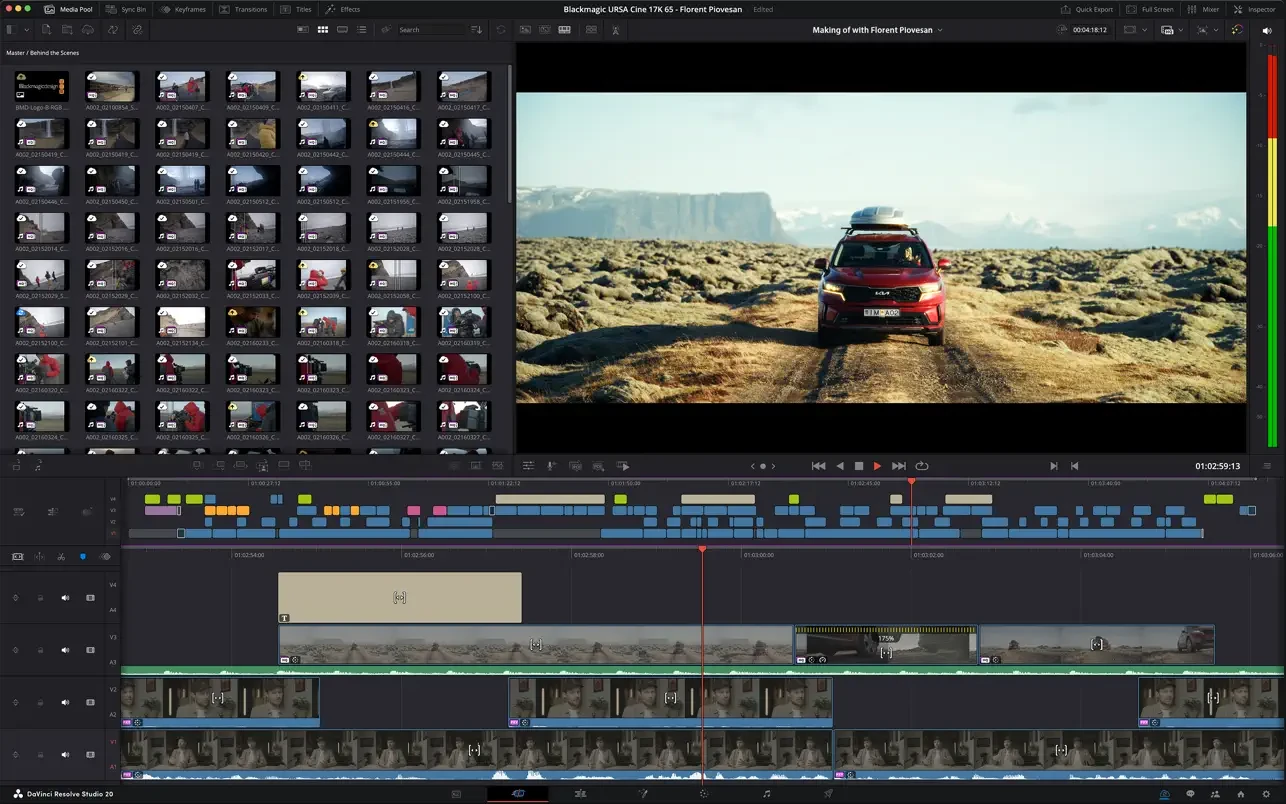
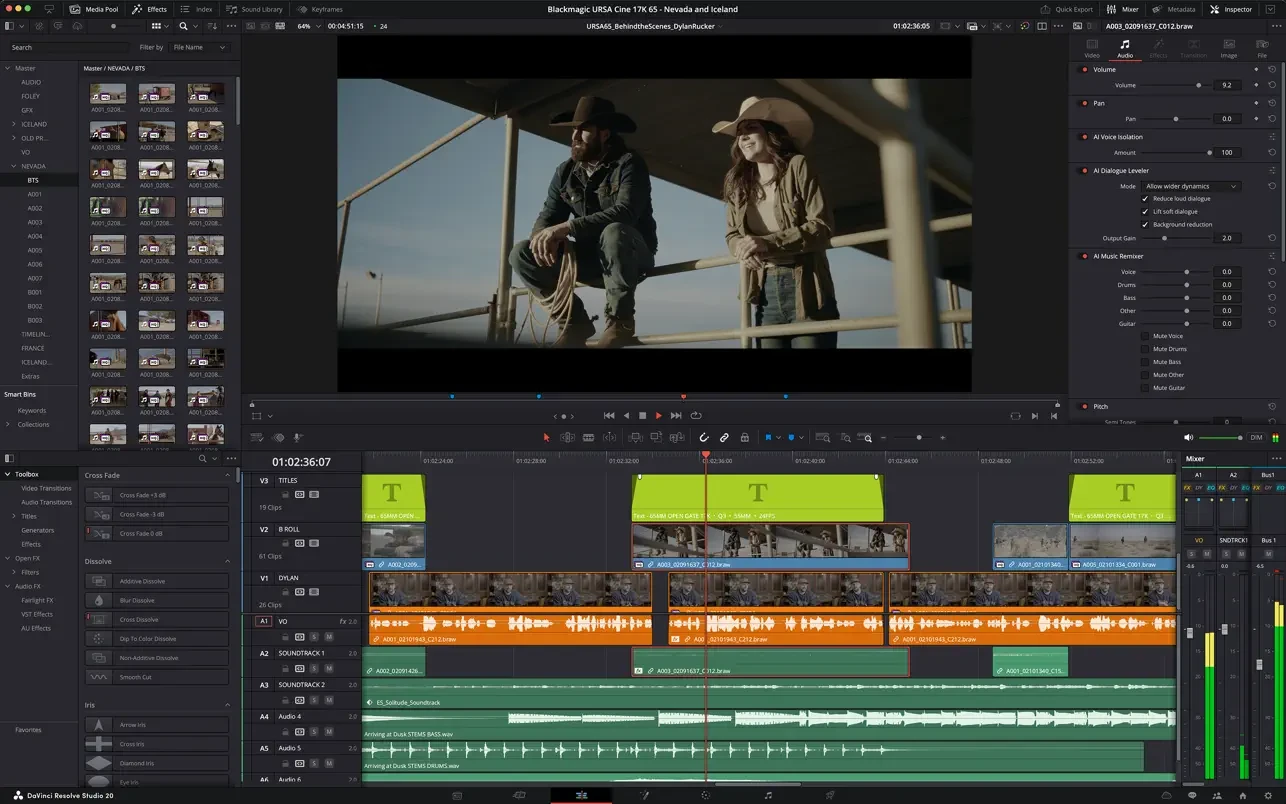
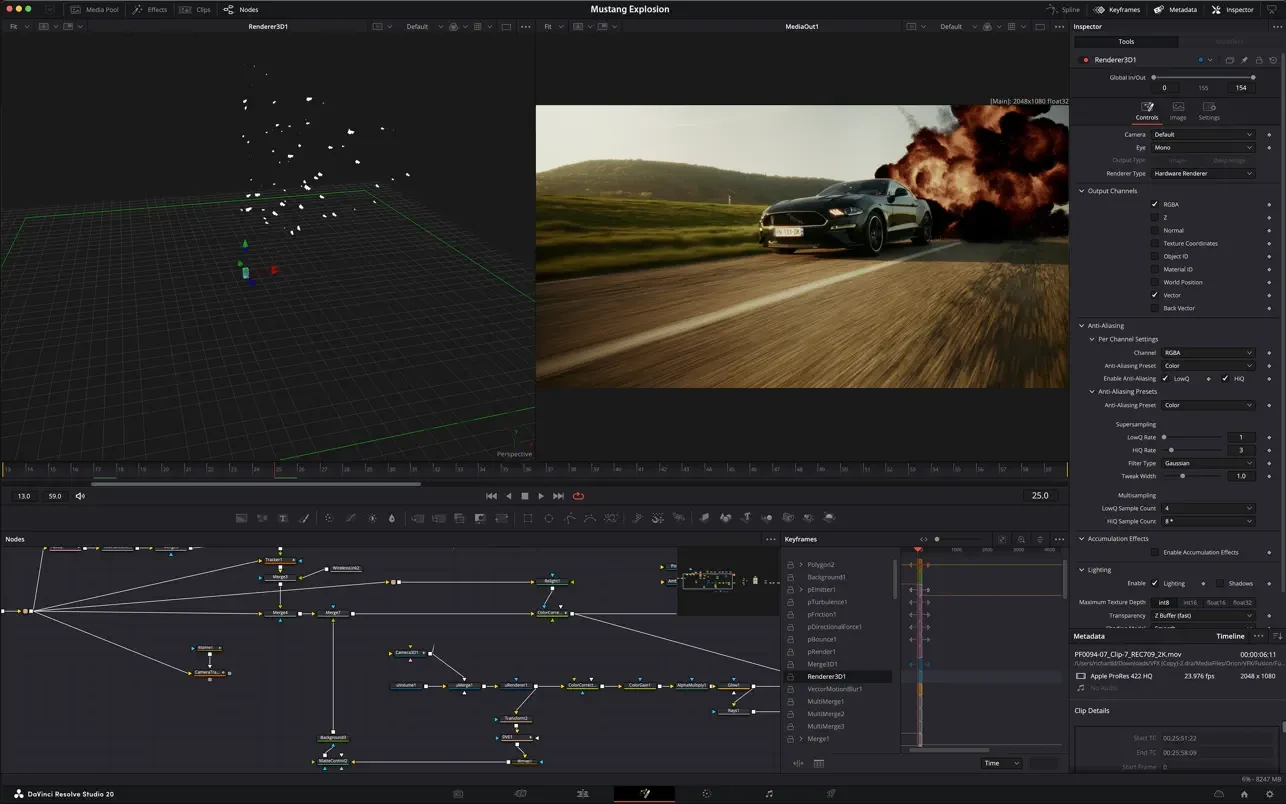
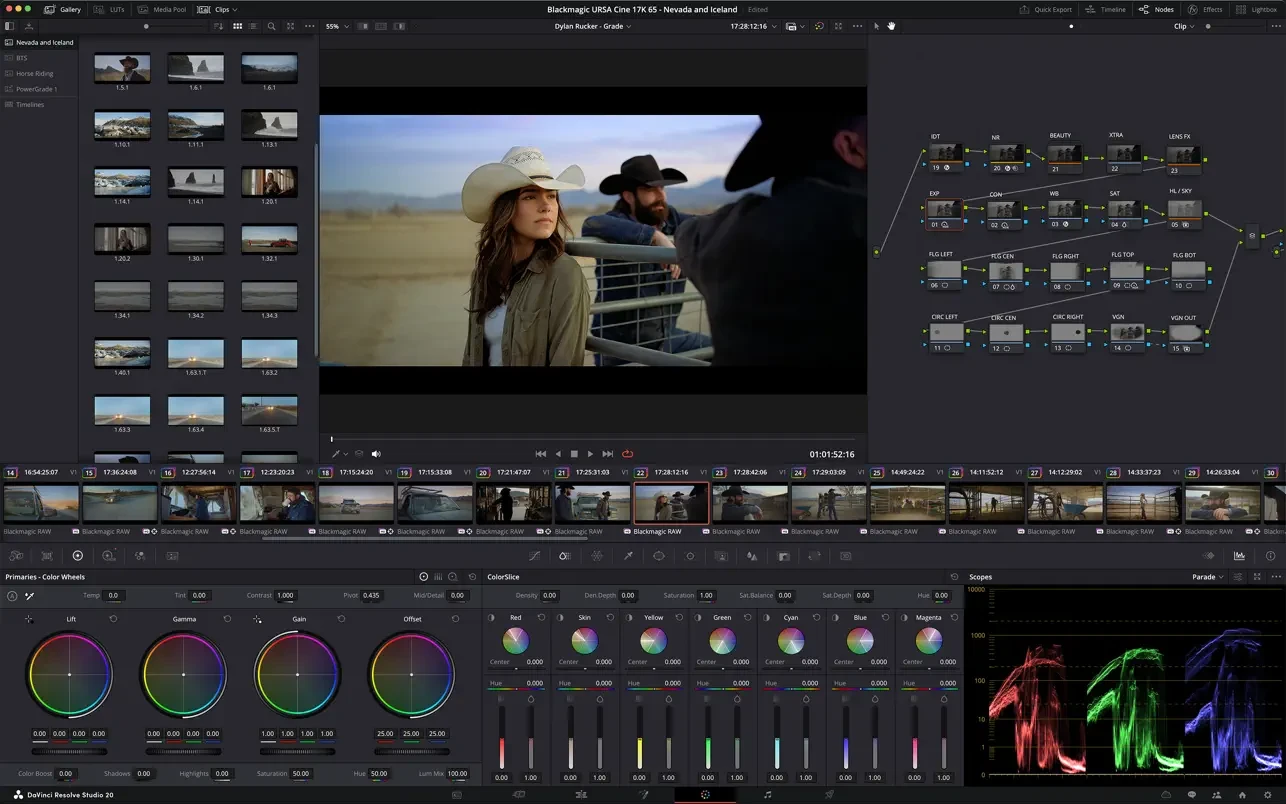
DaVinci Resolve — единственное в мире решение для монтажа и цветокоррекции, наложения визуальных эффектов, создания графики и постобработки звука в единой программной среде. Его современный, стильный интерфейс достаточно прост и интуитивно понятен как для новых, так и опытных пользователей.


DaVinci Resolve позволяет существенно оптимизировать творческий процесс, поскольку овладевать несколькими приложениями или переключаться между разными системами не требуется. Таким образом, можно работать с оригинальным изображением высокого качества. По сути, DaVinci Resolve сочетает в себе все атрибуты студии постпроизводства. Теперь у вас есть доступ к инструментам DaVinci Resolve, которые применяют в Голливуде!


Многие специалисты кино- и телеиндустрии отдают предпочтение DaVinci Resolve. Причиной тому — его невероятное качество и расширенный набор инструментов, которые ставят это приложение вне конкуренции. В системе DaVinci Resolve используется отмеченная премией Emmy™ запатентованная технология обработки в цветовом пространстве YRGB с точностью 32-битной плавающей точки.


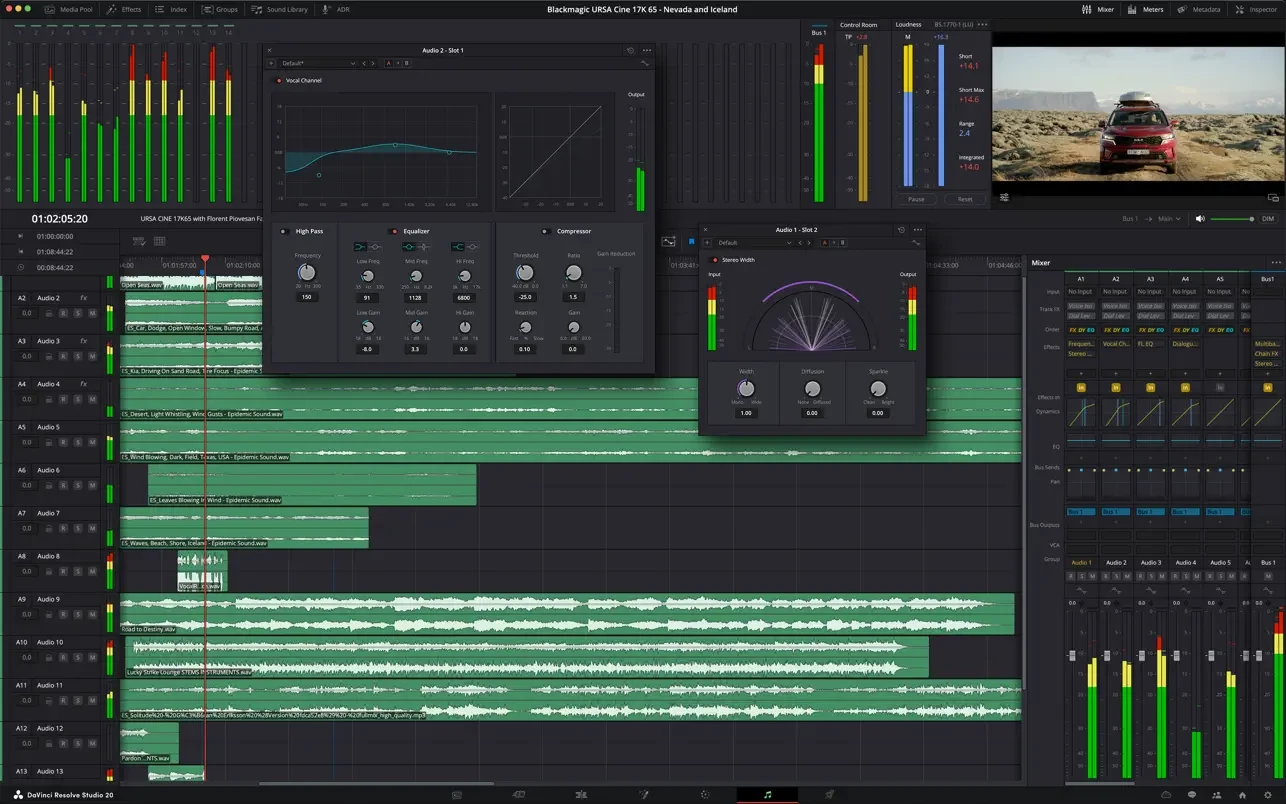
Также предусмотрена поддержка последних HDR-форматов. Кроме того, есть блок Fairlight, предназначенный для микширования и сведения аудиоматериала. Теперь грейдинг видео можно выполнять с помощью средств из повседневного арсенала профессиональных колористов, редакторов, художников и звукорежиссеров.

Опубликовано (изменено): 5.08.2026 Просмотры: 1.2М

FAQ

Комментарии 3 992

Оставлять комментарии могут только зарегистрированные пользователи... Войти
  1. Всем привет, большое спасибо за релизы! У меня возможно тупой вопрос - версия AIO - для Интел?
    Было бы очень удобно если ссылки при скачивали были подписаны ARM/Intel
    MacBook Pro (16-inch, 2021), macOS Tahoe
    1. vstabr Avatar
      vstabr для Валентин М. 5.07.2026 / #270761
      Не парься, все релизы Resolve Studio 21 ARM/Intel. Версия AIO означает, что уже пропатчена. Были некоторые заморочки с DRS 20 (AIO), но ты можешь спокойно скачать и установить практически любой Resolve Studio (19–21) с Script Patch по методе в коменте #267795
      iMac (Retina 5K, 27-inch, 2017), macOS Sequoia
        1. I'm not a Blackmagic Design expert or instructor :), and I haven't installed this version of Resolve Studio 21.0.2 AIO (I prefer the proven Script Patch installation method). You can check for any issues with the nodes yourself.
          *User comments indicate that more issues occur when installing AIO versions.
          iMac (Retina 5K, 27-inch, 2017), macOS Sequoia
  2. Mac mini (2024), macOS Tahoe
    1. OpTyp Avatar
      OpTyp для Архимаг 7.07.2026 / #271018
      через мониторинг системы проверь как установлено приложение. работает через Intel или через arm? даже если ты устанавливал arm версию, проверь.
      MacBook Air (15-inch, M4, 2025), macOS Tahoe
  3. Почему то ни одни скрипт не фиксит лицензионный код, терминалы срабатывают успешно, но ключ появляется все же, уже две недели не могу решить проблему) Доступы все дал, но удалять корни из библиотек не стал, разве в них проблема?
    1. vstabr Avatar
      vstabr для Пекка IT 4.07.2026 / #270583
      Проблема в том, что ты невнимательно читаешь коментарии (сам себе «злобный Буратино»).
      Пункт 1: "бахните две папки: '/Library/Application Support/Blackmagic Design'..."
      ...и пояснения ** в коменте #267795 — не просто так. Файл лицензии (blackmagic.lic) находится в скрытой папке '/Library/Application Support/Blackmagic Design/DaVinci Resolve/.license' и если он остался от предыдущих версий Resolve Studio (AIO и т.п.), то Script Patch будет считать, что лицензия уже есть и ничего не делает, а к новой версии DRS 21 старая лицензия в твоем случае не подходит.
      Как вариант: скачай и установи файл лицензии. Пункт 2: из комента #267633

      **Если «забил» на коменты, то для тебя поясню: админы, когда выкладывают релиз в зеленую кнопку априори считают, что до этого у тебя ничего от компании Blackmagic Design не было установлено и поэтому в их инструкции об этом ни слова.
      iMac (Retina 5K, 27-inch, 2017), macOS Sequoia
  4. MacBook Pro (14-inch, M4, 2024), macOS Tahoe
    1. MacBook Pro (16-inch, 2021), macOS Tahoe
      1. You'll have a hard time installing AIO releases until you learn how to download the required Resolve Studio version from the Blackmagic Design / Support / Latest Downloads website and use Script Patch. Detailed instructions are in the comment: #267795. This has been tested on all latest versions DRS from 19 to 21 releases.

        *You can also download "DaVinci Resolve Studio v21.0.2 Script Patch for macOS 15..." it by clicking the green button.

        **To ensure everything works correctly, read the hardware and macOS requirements on the website before installing the latest DRS version on old Mac-Intel.
        iMac (Retina 5K, 27-inch, 2017), macOS Sequoia
        1. So first of all I want to start off by saying that my comment before wasnt criticism of your work but rather just frustration. I thank you for the time and support you give to this community.

          HOWEVER, i have followed everything of the comment #267795 to the dot, and still it's not working. I deleted the whole davinci resolve folder from the applications folder. Then downloaded the official version from BMD. And the scripts. Ive already granted full access to terminal as this is not the first time I use it to patch softwares. Installed the Xcode thingy to the version of my OS. Used the terminal command that you made, and made some variations for my own case just to make sure. Opened the patch scripts and got the confirmation that the licence code was changed. But everytime i open davinci, the software crashes at launch, I don't even get to see the project page. I am at a loss for words as I just don't know what's wrong. I tried with vers 21.0, 21.0.1 and 21.0.2, and also the AIO version, but nothing.

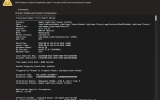
          the crash report says : Termination Reason: Namespace DYLD, Code 1, Library missing

          libQt5Widgets.5.dylib

          code signature ... not valid for use in process: ... different Team IDs
          MacBook Pro (16-inch, 2021), macOS Tahoe
          1. Hackintosh, macOS Tahoe
            1. Thank you for your answers, I will try another time :
              - Backed up the ~/Library/Application Support/Blackmagic Design and /Library/Application Support/Blackmagic Design the deleted them ✅
              - Used Appcelaner to uninstall DRS and its remaining files ✅
              - xcode-select: note: Command line tools are already installed ✅
              - ran the command in terminal ✅
              - Installed DRS from the official blackmagic website ✅
              - Ran the patch script ✅
              - Crashed in launch 😕 crash report: code signature ... different Team IDs, just like yesterday.

              @Lucky1978 you mentioned recodesigning the app, how can I do that please ?
              MacBook Pro (16-inch, 2021), macOS Tahoe
              1. Hackintosh, macOS Tahoe
                1. Thank you ! Sadly didn't fix it for me. When checking the signatures in terminal i get this :

                  DaVinci Resolve.app → TeamIdentifier = not set
                  libQt5Widgets.5.dylib → TeamIdentifier = not set
                  DaVinci Resolve Welcome.app → signed by Blackmagic TeamIdentifier = 9ZGFBWLSYP

                  I don't know what to do anymore, i think i'll install DRS 20 for now.

                  Thank you @Lucky1978 and @vstabr for your help !
                  MacBook Pro (16-inch, 2021), macOS Tahoe
                  1. Hackintosh, macOS Tahoe
                    1. full crash report here : https://pastebin.com/fwvmYV0C

                      ----------

                      Termination Reason: Namespace DYLD, Code 1, Library missing

                      Library not loaded: @rpath/libQt5Widgets.5.dylib
                      Referenced from:
                      /Applications/DaVinci Resolve/DaVinci Resolve.app/Contents/Applications/.hidden/DaVinci Resolve Welcome.app/Contents/MacOS/DaVinci Resolve Welcome

                      Reason: tried:
                      '/Applications/DaVinci Resolve/DaVinci Resolve.app/Contents/Frameworks/libQt5Widgets.5.dylib'
                      (code signature in '/Applications/DaVinci Resolve/DaVinci Resolve.app/Contents/Frameworks/libQt5Widgets.5.dylib'
                      not valid for use in process: mapping process and mapped file (non-platform) have different Team IDs)

                      -------

                      when i do :
                      codesign -dv "/Applications/DaVinci Resolve/DaVinci Resolve.app/Contents/Applications/.hidden/DaVinci Resolve Welcome.app" 2>&1

                      and
                      codesign -dv "/Applications/DaVinci Resolve/DaVinci Resolve.app/Contents/Frameworks/libQt5Widgets.5.dylib" 2>&1

                      i get :

                      Welcome.app
                      TeamIdentifier=9ZGFBWLSYP

                      libQt5Widgets.5.dylib
                      TeamIdentifier=not set
                      Signature=adhoc
                      MacBook Pro (16-inch, 2021), macOS Tahoe
                      1. Hackintosh, macOS Tahoe
                        1. I ran it in terminal, the app crashed still. Didnt get a new crash report for DaVinci Resolve Welcome, only a debugserver crash if I try to debug it.

                          here are the team IDs :

                          codesign -dv "/Applications/DaVinci Resolve/DaVinci Resolve.app/Contents/Applications/.hidden/DaVinci Resolve Welcome.app" 2>&1 | grep TeamIdentifier
                          TeamIdentifier=not set

                          codesign -dv "/Applications/DaVinci Resolve/DaVinci Resolve.app/Contents/Frameworks/libQt5Widgets.5.dylib" 2>&1 | grep TeamIdentifier
                          TeamIdentifier=not set
                          MacBook Pro (16-inch, 2021), macOS Tahoe
                        2. I think I found something.

                          Running

                          codesign --verify --deep --strict --verbose=4 "/Applications/DaVinci Resolve/DaVinci Resolve.app"

                          returns:

                          a sealed resource is missing or invalid
                          file modified:
                          .../Contents/Applications/.hidden/DaVinci Resolve Welcome.app/Contents/MacOS/DaVinci Resolve Welcome

                          I don't think patch script modifies Welcome.app, but codesign reports that its executable is considered modified.

                          This is on macOS 26.1.
                          Maybe codesign --deep no longer resigns the hidden nested Welcome.app correctly? (chatgpt's idea)
                          MacBook Pro (16-inch, 2021), macOS Tahoe
          2. If you have important projects, before performing a clean installation, back up the '~/Library/Application Support/Blackmagic Design' folder from your user folder (zip it and copy it to another location, preferably an external drive). After installing DRS, you can restore the data from the backup.

            If you don't mind, you can immediately uninstall Resolve Studio using AppCleaner or PearCleaner and perform a clean installation of DRS.

            *Please fill out your profile: indicate your Mac model and macOS – this will make it easier for us to help you.
            **We are all human, but we try to keep our emotions and experiences to ourselves. ;)
            iMac (Retina 5K, 27-inch, 2017), macOS Sequoia
            1. The thing is, I've used AppCleaner to delete DRS, and tried it many times, I'm not sure that's the issue.

              However, when inspecting the binary, i can see :

              DaVinci Resolve Welcome.app
              Timestamp = 1 Jul 2026
              TeamIdentifier = 9ZGFBWLSYP

              The timestamp checks out with the release date of DRS 20.0.2, which leads me to believe that the patch didn't work on the DaVinci Resolve Welcome.app ?
              MacBook Pro (16-inch, 2021), macOS Tahoe
              1. I don't have much experience with Resolve Studio. It all started with DRS 21 beta 1 (AIO). Later, I installed different versions of Resolve Studio (19–21) on different Macs (ARM/Intel) and used the Script Patch, but I never encountered your issue.

                On a MacBook Air M2 (macOS 27 beta 2), Resolve Studio installed and worked successfully. It's optimized for macOS 26 Tahoe, version 20.3.3, and later (up to 21.0.2).
                On an iMac with Intel (macOS 15), Resolve Studio 19.1.4 works perfectly. Later versions of DRS also install and work, but some AI effects don't work correctly.

                *Perhaps you should update your macOS Tahoe to the latest version or downgrade to macOS 15?
                iMac (Retina 5K, 27-inch, 2017), macOS Sequoia
                1. I am still running macos 26.1 so i'll try updating it to the latest version if nothing else works, because according to chatgpt since the recent versions of macOS, the dynamic loader (dyld) refuses to load a library that is signed with a different identity inside a signed application. So it might be the problem ? but idk since Lucky and Dierot are on tahoe too
                  MacBook Pro (16-inch, 2021), macOS Tahoe
                  1. Hackintosh, macOS Tahoe
                  2. iMac (Retina 5K, 27-inch, 2017), macOS Sequoia
                    1. Thank you for the tip ! I think I will install DRS 20.2 for now as I still have some work to do, then try disabling SIP+Gatekeeper or downgrading my OS next weekend.

                      Thank you so much for your help vstabr and lucky !!
                      MacBook Pro (16-inch, 2021), macOS Tahoe
    1. Is it really that hard to download from Green Button "DaVinci Resolve Studio v21.0.2 Script Patch...", read the instructions to install DRS, and run the patch? I agree, entering your credit card number on the Blackmagic Design website is much easier!
      iMac (Retina 5K, 27-inch, 2017), macOS Sequoia
  5. Mac mini (2024), macOS Tahoe
    1. MacBook Pro (14-inch, M4, 2024), macOS Tahoe
      1. Mac mini (2024), macOS Tahoe
      2. MacBook Air (M1, 2020), macOS Sequoia
  6. Друзья и коллеги, доброго всем утречка!
    Спешу к вам с хорошей новостью — вышло обновление Resolve Studio 21.0.2 Build 4.
    Как всегда, скачиваем DaVinci Resolve Studio 21.0.2 Update из самой программы или с сайта Blackmagic Design / Support / Latest Downloads. Используйте тот же Patch Scripts из коментария: #267795

    На ARM и Intel полет нормальный. Хорошего вам дня! :)
    iMac (Retina 5K, 27-inch, 2017), macOS Sequoia
  7. Установил последнюю версию, почему то при выборе ноды она не выделяется (нет обводки) и когда закидываю инструмент любой, то settings мелькает быстро, но пропадает и не включается

    Пробовал удалять все полностью и ставить, предыдущую и такая же история осталась

    Пробовал ставить последнюю которая со скриптом, но на третьем этапе где терминал должен открываться пишет извлеките образ, если я его извлекаю, он пишет поврежден
    1. MacBook Pro (16-inch, M5 Pro or M5 Max, 2026), macOS Tahoe
      1. Нашел решение на Reddit, короче нужно создавать не одну ноду а несколько и тогда настройки начинают отображаться и работать
        1. Gonzza Avatar
          Gonzza для Deema Searcher 30.06.2026 / #270014
          Опытным путём сам дошёл до этого способа, но всё же удобнее действовать напрямую.
          Переустановил по ссылке выше, всё как по маслу.
          MacBook Pro (16-inch, M5 Pro or M5 Max, 2026), macOS Tahoe
          1. Все правильно сделал! Зачем извращаться с костылями, когда можно установить оригинальную (главное рабочую) версию с сайта производителя и запустить Script Patch. Не забывайте правильно настроить GPU в коменте #269655 и #267651

            *Особо доставляют пользователи, которые устанавливают оригинальный Resolve Studio, запускают и жалуются на требование серийника! :) При этом умудряются установить обычный Resolve, запустить патч и ноют про возникшие ошибки!
            iMac (Retina 5K, 27-inch, 2017), macOS Sequoia
    1. If you really wanna help you must describe what and how you tried to install exactly and show Terminal's output while applying patch.
      Without that you can guessing by yourself what was wrong.
      Hackintosh, macOS Tahoe
  8. Подскажите, пожалуйста, какую ссылку выбирать для загрузки чтобы установить на macOS Tahoe под ARM?

    По опыту знаю, что DaVinci Resolve через Розетту работает криво, поэтому и задался вопросом о загрузке.
    MacBook Pro (16-inch, 2023), macOS Tahoe
    1. В «зеленой кнопке» DaVinci Resolve Studio v21.0.1 Script Patch для macOS 15 и новее — там универсальный (ARM+Intel) и Script Patch. Или воспользуйтесь этим методом: #267795
      iMac (Retina 5K, 27-inch, 2017), macOS Sequoia
      1. MacBook Pro (16-inch, 2023), macOS Tahoe
  9. Hi... so a week ago i downloaded davinci resolve studio from the official site as shown on this platform and i installed it. i runned it and it required a license. so today, i read the comments and downloaded the patch scripts, runned it and it returned this error:

    "Error / Ошибка: File /Applications/DaVinci Resolve/DaVinci Resolve.app/Contents/MacOS/Resolve pattern a0 03 5f f8 a1 83 5e f8 e3 0f 40 b9 found 0 matches, should be exactly one / В файле /Applications/DaVinci Resolve/DaVinci Resolve.app/Contents/MacOS/Resolve шаблон a0 03 5f f8 a1 83 5e f8 e3 0f 40 b9 найден 0 раз(а), должно быть ровно одно совпадение"

    Could someone help me solve this? THANK YOU ☺️
    MacBook Pro (15-inch, 2019), macOS Sequoia
  10. Добрый день уважаемые разрабы и пользователи..
    Работаю сейчас в Dav.19...Хочу обновится до 21.. Как лучше, снести полностью и поставить заново, сразу 21... Или есть вариант обновится с 19 без потери лутов и плагинов.? Или это не имеет значения, ведь на 21 не будут работать инструменты установленные на 19??
    1. Operatorsky Avatar
      Operatorsky для Павел Варкентин 2.07.2026 / #270255
      я с 19 на 20 переходел просто установив п оверх ничео не удалял всё работает идеально, но вот что на счёт 21 не могу сказать сам вот думаю обновлятся ещё
      MacBook Pro (14-inch, 2021), macOS Tahoe
  11. MacBook Air (M1, 2020), macOS Tahoe
  12. добрый день. неправильно работает micro color panel. хотя с версией 20 было все хорошо. установил по инструкции 2 раза, но не смотря на это color panel не все ролики работают как нужно.
    как можно исправить?
    спасибо большое
    1. iMac (Retina 5K, 27-inch, 2017), macOS Sequoia
      1. micro color panel подключен. но во вкладке Color кручу колеса и не реагирует. хотя некоторые кнопки работают (например auto color, saturation крутилка и еще примерно 20% кнопок)
        1. ХЗ, включил, как у вас в настройках Davinci Resolve Micro Color Panel, на вкладке Color всё (или почти всё) крутится, изменяется и регулируется. Проверьте настройки GPU, может в этом проблема?
          iMac (Retina 5K, 27-inch, 2017), macOS Sequoia
        2. Простите, я тупанул и вас не так понял... Вы же про оборудование, про эту USB-шную «приставку» говорите? У меня такой штуки нет, может вам почитать форум на официальном сайте Blackmagic Design?
          iMac (Retina 5K, 27-inch, 2017), macOS Sequoia
          1. спасибо большое. да. у меня приставка. Я пока откатился на ДР20. думаю подождать более стабильную версию 21.
            Спасибо большое
  13. При выборе ноды во вкладке калор выделанная нода перестала выделяться как это было в предыдущих версиях, подскажите как решить проблему. Очень не удобно работать, когда много нод забываешь какая нода в данный момент редактируется
    1. iMac (Retina 5K, 27-inch, 2017), macOS Sequoia
  14. Администрации низкий поклон!!! Спасибо большое!!!! Еще хотелось бы если возможно Film Convert Nitrate OFX буду очень благодарен!!!
    Mac mini (2024), macOS Tahoe
    1. Выбирайте, на здоровье!
      Загрузите с сайта www.filmconvert.com/download/software-updates плагин(ы) для нужной программы (DaVinci Resolve, FCPX, Adobe Premiere Pro) и универсальный патч — подходит для всего! Установите плагин, распакуйте и запустите патч.
      Чтобы не заморачиваться регистрацией и ВПН, можете скачать с ядиска (вместе с патчем и краткой инструкцией по установке) последний на сегодня: Film Convert Nitrate OFX v3.68-Mac with Patch

      *Протестировал на Resolve Studio 21 (ARM+Intel) все работает — на выводе водяных знаков нет, профили камер загружаются (список камер и моделей смотрите здесь: https://www.filmconvert.com/supported-cameras#camera-list ). С Premiere Pro что-то не задалось (плагин установился, но патч «ругнулся» — может Premiere очень новый, а патч «не очень», ХЗ (не стал разбираться). Хорошего вам настроения! :)
      iMac (Retina 5K, 27-inch, 2017), macOS Sequoia
      1. Mac mini (2024), macOS Tahoe
    2. MacBook Pro (16-inch, M4, 2024), macOS Tahoe
  15. Подскажите пожалуйста: ставлю на загрузку, качает на процентов 20-30, потом падает скорость до 0 и сбрасывается скачивание. Что делать?
    MacBook Air (M2, 2022), macOS Sequoia
    1. iMac (Retina 5K, 27-inch, 2017), macOS Sequoia
  16. Добрый день,
    подскажите, пожалуйста, возможно ли на данной версии пользоваться Даунлоад экстрас?
    или это только на купленной лицензии?
    MacBook Pro (16-inch, M5 Pro or M5 Max, 2026), macOS Tahoe
Опубликовано (изменено): 5.08.2026 Просмотры: 1.2М
Наверх